Nx Witness User Manual
Nx Cloud is an important part of Nx Witness that extends functionality of Nx Witness Sites.
Once a Site is linked to Nx Cloud, it becomes possible to access the Site from virtually any Internet browser. Depending on your Site configuration, the Nx Cloud can display Bookmarks and Cloud Layouts that contains devices from different Sites. See "Connecting Site to Nx Cloud" and "Logging in to Nx Cloud".
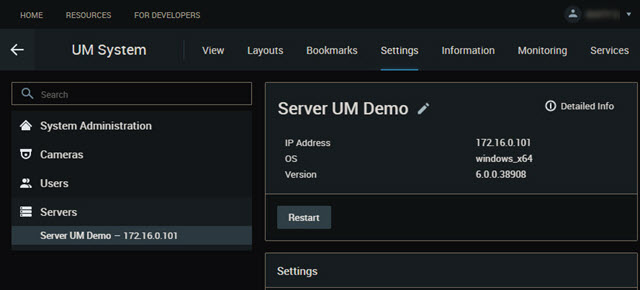
The Cloud Portal menus and options are contextually aware and will change based on selections made, Site configuration, and user permissions.
•A menu positioned along the header area includes tabs for enabled functions (View, Layout, Bookmarks, Settings, Information, Monitoring, Services).
•The tabs displayed will vary depending on the version of software and permission of the active user.
•The left panel provides for second-level menus choices, filters, or resource selection controls.
•Information refined by the menu selections made is displayed in the Center display panel.